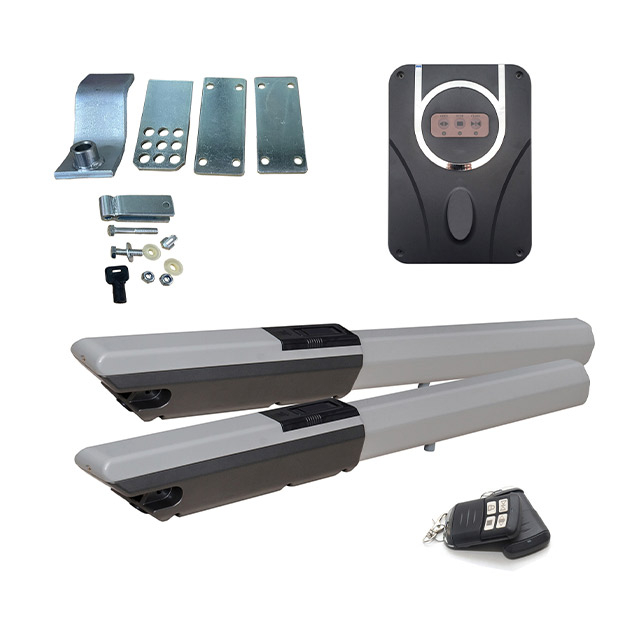


| Quantity: | |
|---|---|


>> Introduction
Operation instructions of equipment distribution network

1. When pairing for the first time, confmm that the blue light of WiFiconsole or the green light of the module is blinking quickly. lf not, correct it first.Device reset: Long press the middle buiton of the WlFITK console (stop button m)for more than 6 seconds, and the blue light of the device will tumn on lf the device blinksgreen quickly or holds down the side button of the WFH module for more than 6 seconds.the device enters the network distribution mode
2.The local 2.4GHz band WiFi connected to the mobile phonecannot be 5GHz or dualband, When paired, the phone is close to the device and router
3. Download, register and log in Smart Life App (mobile phone account is recommended)
(1)Search for "Smart Life" in the App Store or Android Market to download and install the App
(2). $can the QR code on the right, the QR code on the bottom of WlFITK or the WFH moduleQr code download and install App
(3).app will generate an icon on the mobile desktop after installation
4.Add devices
Semi-Automatic PET Bottle Blowing Machine Bottle Making Machine Bottle Moulding Machine PET Bottle Making Machine is suitable for
producing PET plastic containers and bottles in all shapes.

FAQ
1. Why can only 2.4GHz WiFi be used? Can't 5GHz be used instead?
Currently, the vast majority of IoT devices use 2.4GHz WiFi because it has better wall-penetrating ability and a wider coverage area, making it more suitable for outdoor devices such as gate control devices. This module does not support 5GHz WiFi. Please ensure that the mobile phone is connected to the 2.4GHz network when configuring the network.
2. What should I do if the network configuration fails?
Please follow the following steps to troubleshoot:
1. Confirm that the WiFi is 2.4GHz and the password is entered correctly.
2. Confirm that the module indicator light is in a rapid flashing state (press the reset button for 6 seconds).
3. Place the mobile phone and the module close to the router to ensure a good WiFi signal.
4. Disable the 5GHz frequency band of the router and only keep the 2.4GHz.
5. Restart the router and the module and try again.
3. How many users can be added at most?
The maximum number of authorized users that can be added is 50. Administrators can add or delete authorized users at any time and set different usage permissions for different users.