
Possible direction: power, controller status, access signal, triggered protection or mechanical obstruction. Check indicators and whether local control responds.
OMKER Technical Guide
Common Barrier Gate Troubleshooting Guide
Identify common automatic barrier gate problems, understand possible causes, and follow practical maintenance and repair directions for reliable vehicle access.

Quick Troubleshooting
Find Your Barrier Gate Problem
Select the closest symptom to see the first checks. Record what the equipment does before disconnecting power or requesting technical support.
Possible direction: active loop detector, interrupted infrared beam, close-command failure or an object remaining in the lane.
Possible direction: travel-limit setting, increased mechanical resistance, arm imbalance or protective shutdown. Do not force the arm.
Possible direction: remote battery, pairing, receiver power, interference or a fault in the control input. Compare remote and local operation.
Possible direction: false access input, detector state, wiring fault or an external access controller command. Review event history where available.
Possible direction: loose hardware, arm misalignment, internal wear, foundation movement or drive problems. Stop repeated cycling until inspected.
Common Problems
Common Barrier Gate Problems & Solutions
Use the symptom, likely cause and safe check sequence below to narrow the fault before parts are replaced.
01
Barrier Gate Motor Not Responding
SymptomsNo movement or drive sound after a valid command.
Possible CausesPower loss, controller fault, protection state or missing drive signal.
What to CheckSupply status, controller indicators and response to local versus remote control.
Recommended ActionIsolate power and have qualified personnel test electrical and drive components.
02
Boom Arm Not Opening or Closing Fully
SymptomsThe arm stops early, overshoots or fails to reach its normal position.
Possible CausesTravel-limit issue, mechanical resistance, arm imbalance or drive protection.
What to CheckVisible obstruction, arm alignment and fault indications without forcing movement.
Recommended ActionUse the model manual and trained service support for limits or balance mechanisms.
03
Loop Detector or Infrared Sensor Problems
SymptomsThe barrier remains open, closes at the wrong time or reacts without a vehicle.
Possible CausesFalse detection, misalignment, damaged wiring or a blocked sensing area.
What to CheckDetector status, sensor alignment, lane obstruction and visible cable damage.
Recommended ActionRestore alignment or request testing of the detector and safety circuit.
04
Remote Control & Access System Failures
SymptomsLocal controls work but remote, RFID or LPR commands do not.
Possible CausesBattery, pairing, receiver, communication interface or access-system fault.
What to CheckCompare command sources and confirm the external controller has power.
Recommended ActionRecommission the affected input using the product and access-system manuals.
05
Slow Movement, Noise or Vibration
SymptomsCycle time increases or movement becomes rough, loud or unstable.
Possible CausesLoose fasteners, arm alignment, mechanical wear, installation shift or drive fault.
What to CheckHousing, arm connection, foundation and changes from normal operation.
Recommended ActionStop intensive use and arrange inspection before damage becomes more severe.
Diagnostic Steps
Step-by-Step Barrier Gate Diagnostics
Move from external, observable checks toward professional inspection. Avoid changing settings before the original fault has been recorded.
Check Power & Controller Status
Review supply status, controller indicators and recorded alarms.
Check Remote & Access Signals
Determine whether the problem affects local, remote or external commands.
Inspect Safety Sensors
Confirm vehicle detectors and safety sensors are not falsely active.
Inspect Boom Arm & Mechanics
Qualified personnel should check alignment, resistance and travel limits.
Test Operation & Record Results
Verify a complete safe cycle and document the outcome before handover.
Safety first: Disconnect and isolate power before electrical or mechanical inspection. Close the lane to vehicles and pedestrians. High-tension springs, drive mechanisms, limit systems and safety circuits must be serviced by qualified personnel; never bypass protective devices to keep a faulty barrier operating.
Repair or Replace?
Choose the Safer Long-Term Direction
A small, isolated fault may justify repair. Repeated failures, structural damage or poor system compatibility can make replacement the more dependable project decision.
Consider Repair
- A replaceable remote control or battery has failed.
- A sensor is misaligned or wiring can be safely restored.
- Original parts are available and the structure remains sound.
- Inspection confirms safe, reliable operation can be restored.
Consider Replacement
- Multiple core components fail repeatedly.
- The control system no longer fits the parking or access platform.
- The arm, cabinet or critical drive structure is badly damaged.
- Repair cost rises while reliability continues to decline.
Maintenance Guide
Preventive Maintenance Checklist
Use this list as a visual inspection record. Set the maintenance interval according to the model manual, traffic volume and site environment.
Barrier Gate Maintenance Checklist
0/6 completeInspection frequency and service procedures must follow the manual for the selected OMKER model and the actual operating environment.
OMKER Products
Barrier Gate Options for New or Replacement Projects
Review the current product pages, then confirm arm configuration, cycle requirements, detector options and access-control interfaces with OMKER.
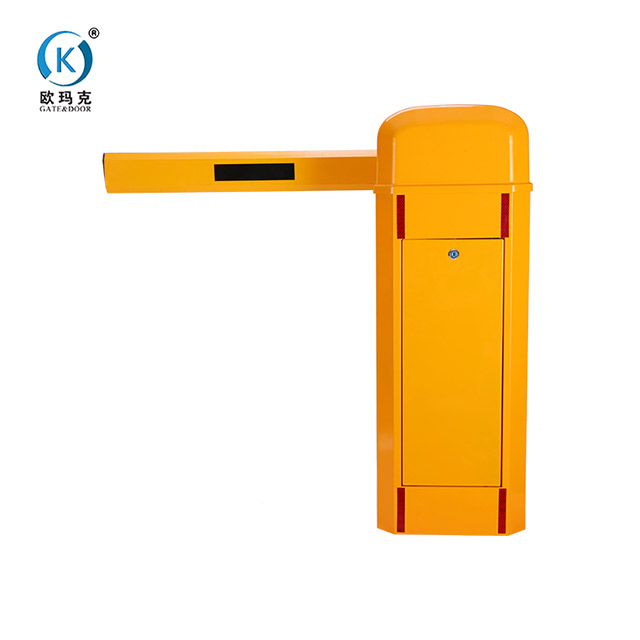
Automatic Barrier Gate for Efficient Traffic Control
A configurable barrier gate direction for parking areas, residential communities and managed vehicle entrances, with multiple boom and control options listed on the product page.
View product details →
Parking Lot Management Automatic Barrier Gate
Designed around parking-lane management with straight, folding and telescopic arm directions and access-control integration options described by OMKER.
View product details →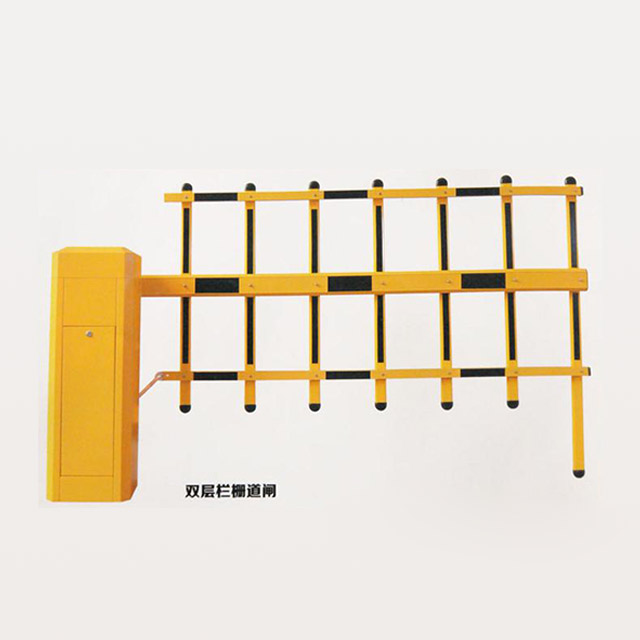
Smart Car Parking Barrier System
A product direction for parking projects using license plate recognition and coordinated vehicle access. Confirm supported interfaces and project configuration before ordering.
View product details →FAQ
Barrier Gate Troubleshooting Questions
Use these answers for initial fault isolation. Model-specific repair and reset procedures should always follow the correct manual.
Why won't my automatic barrier gate open?
Possible causes include a power supply issue, missing control signal, triggered protection state or mechanical obstruction. Check status indicators and compare local and remote commands before requesting professional diagnosis.
Why does the barrier arm stop halfway?
Travel-limit settings, increased mechanical resistance, arm imbalance or a protective shutdown may interrupt the cycle. Do not force the arm or adjust the spring mechanism without the correct model instructions and qualified support.
Why does my barrier gate close unexpectedly?
Investigate detector status, infrared sensor alignment, external access commands and visible wiring issues. Close the lane until the safety sensing sequence has been tested and normal operation confirmed.
How do I reset an automatic barrier gate?
Reset procedures differ by controller and model. Record any fault indication first, then use the applicable OMKER manual or request support. Repeatedly cycling power can hide useful diagnostic information and may not correct the underlying fault.
How often should a barrier gate be serviced?
The interval depends on the selected model, traffic cycles, outdoor exposure and site conditions. Follow the product manual and increase inspection attention when operating conditions are demanding or symptoms change.
When should a barrier gate be replaced?
Replacement deserves consideration when critical components fail repeatedly, structural or drive damage is serious, the controller no longer fits the access system, or repair cannot restore safe and dependable operation.
Contact & Support
Need Help Troubleshooting Your Barrier Gate?
Share your barrier gate model, fault symptoms and installation details with OMKER to discuss troubleshooting support or a suitable replacement solution.
Include the model or product linkDescribe when the fault occursAttach photos or video through your normal contact channel if requested
Contact OMKER